
Gangsta Paradise: Temple Re-Skin
Editor's note
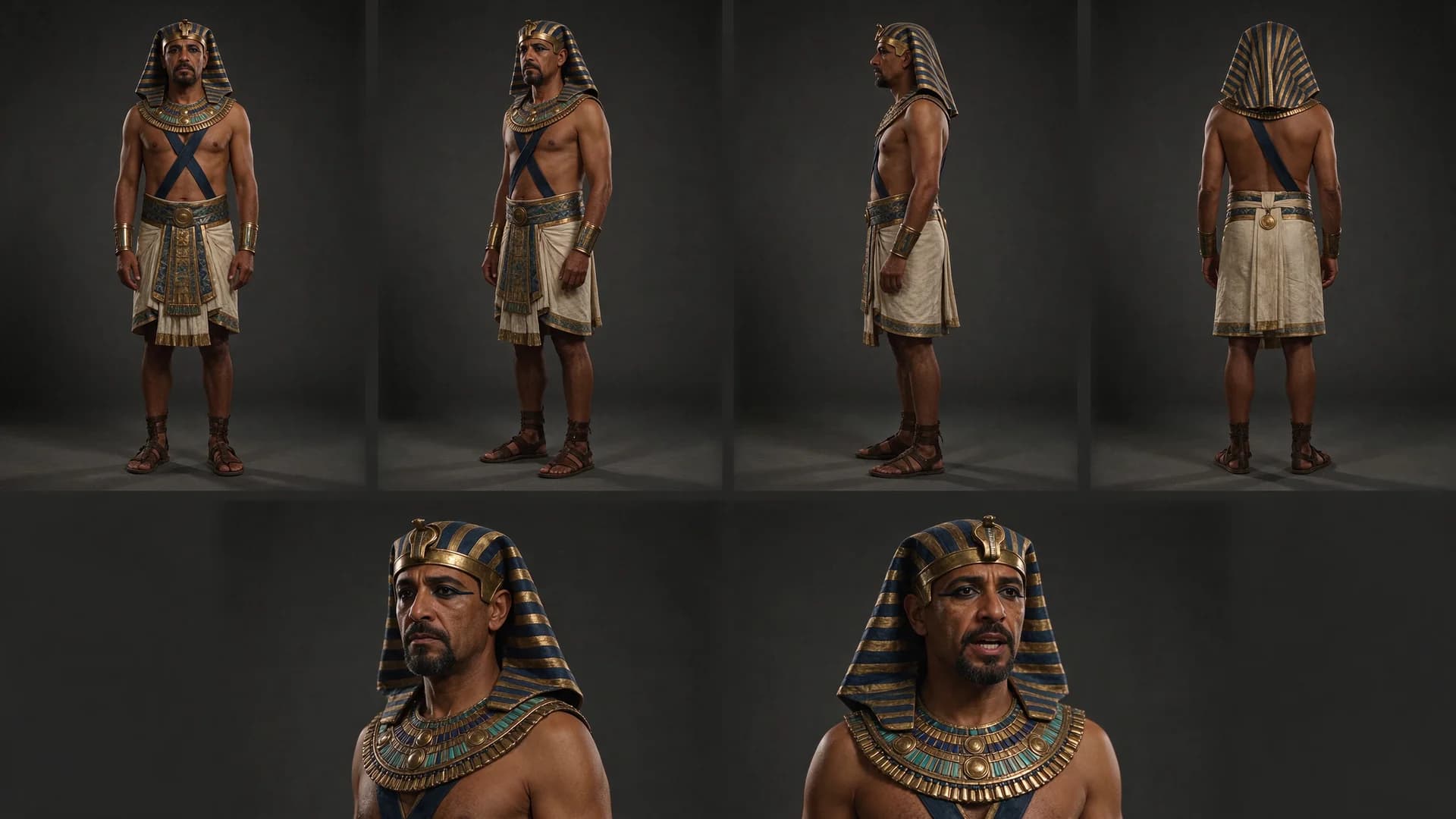
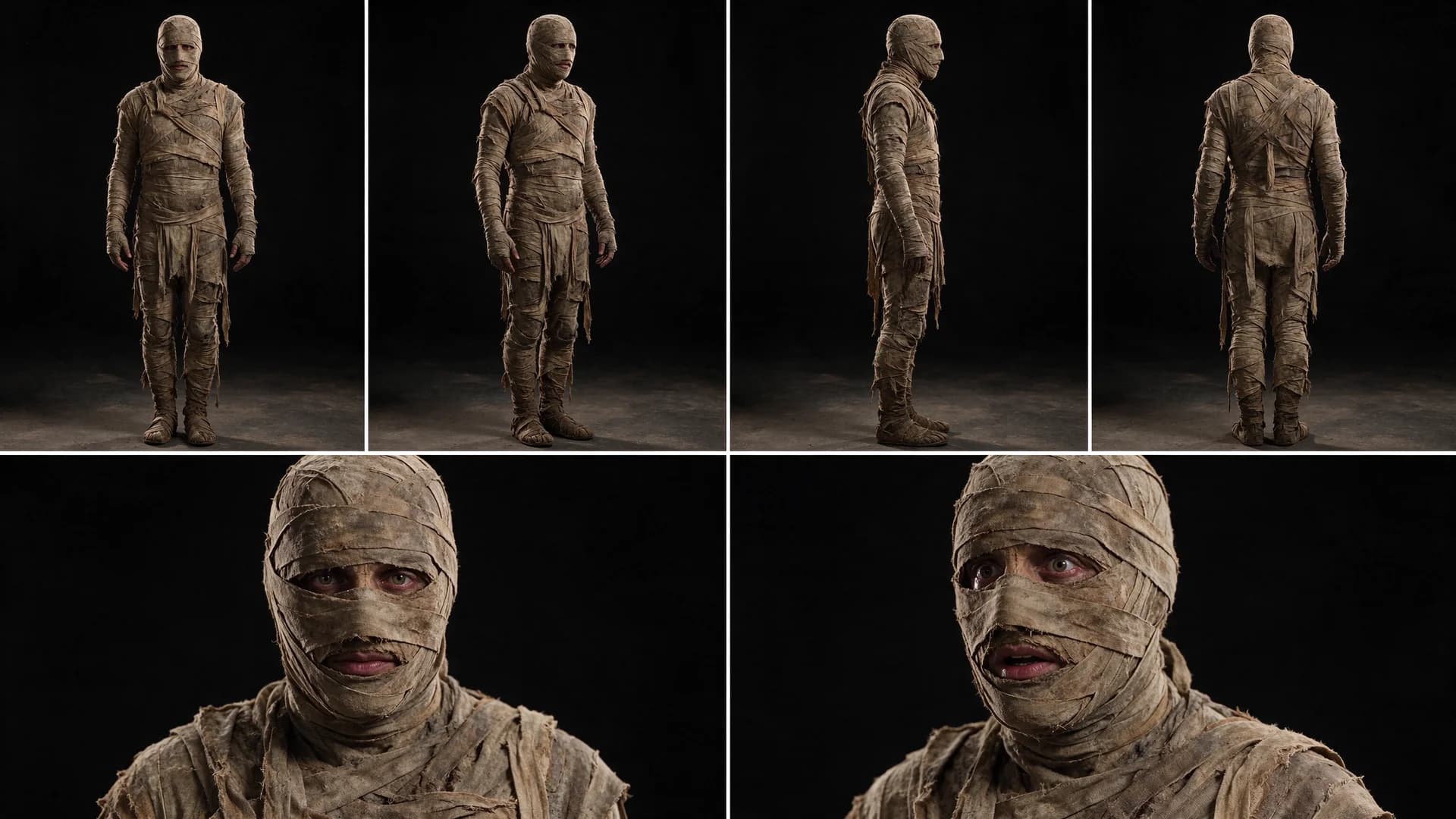
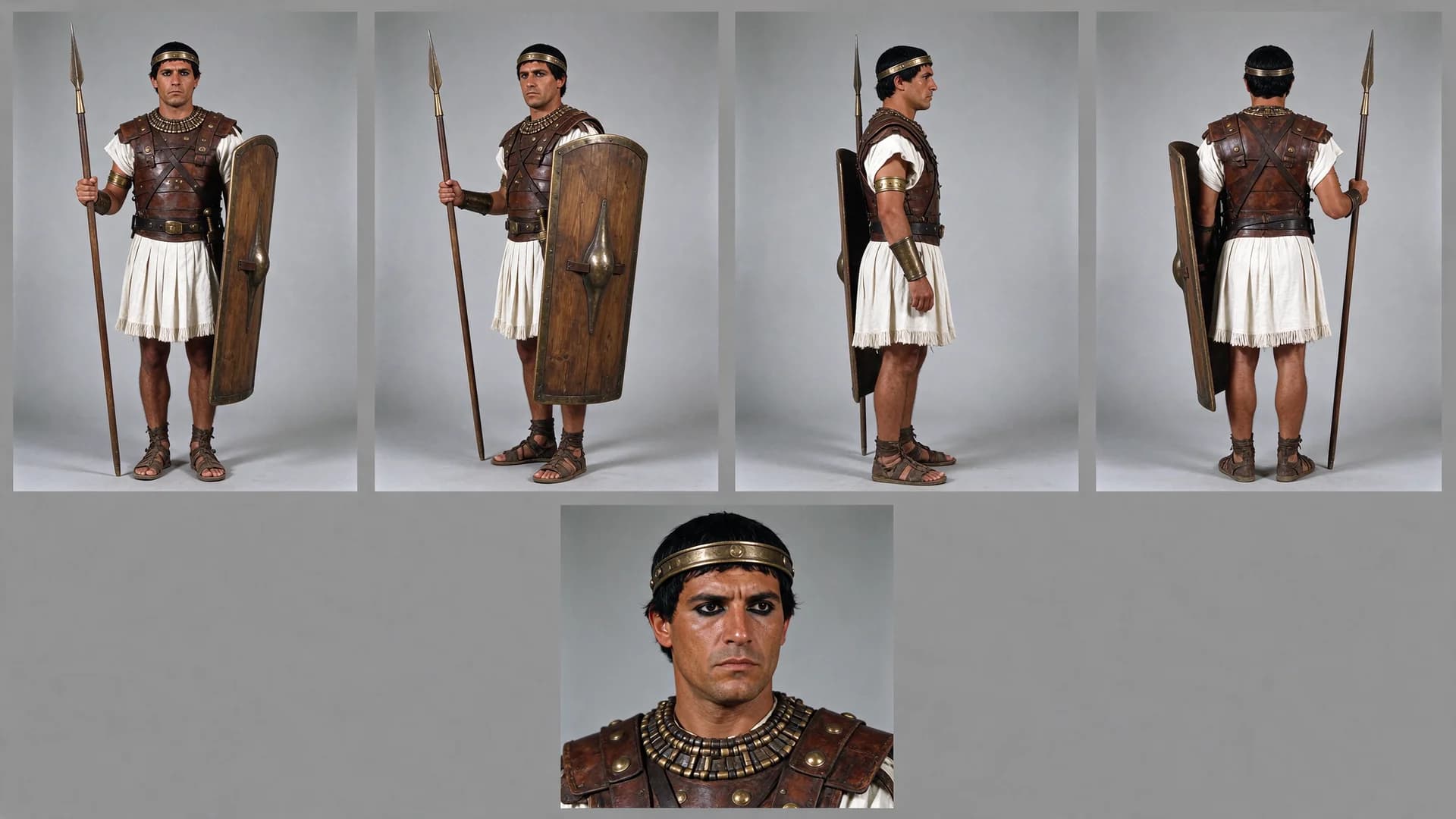
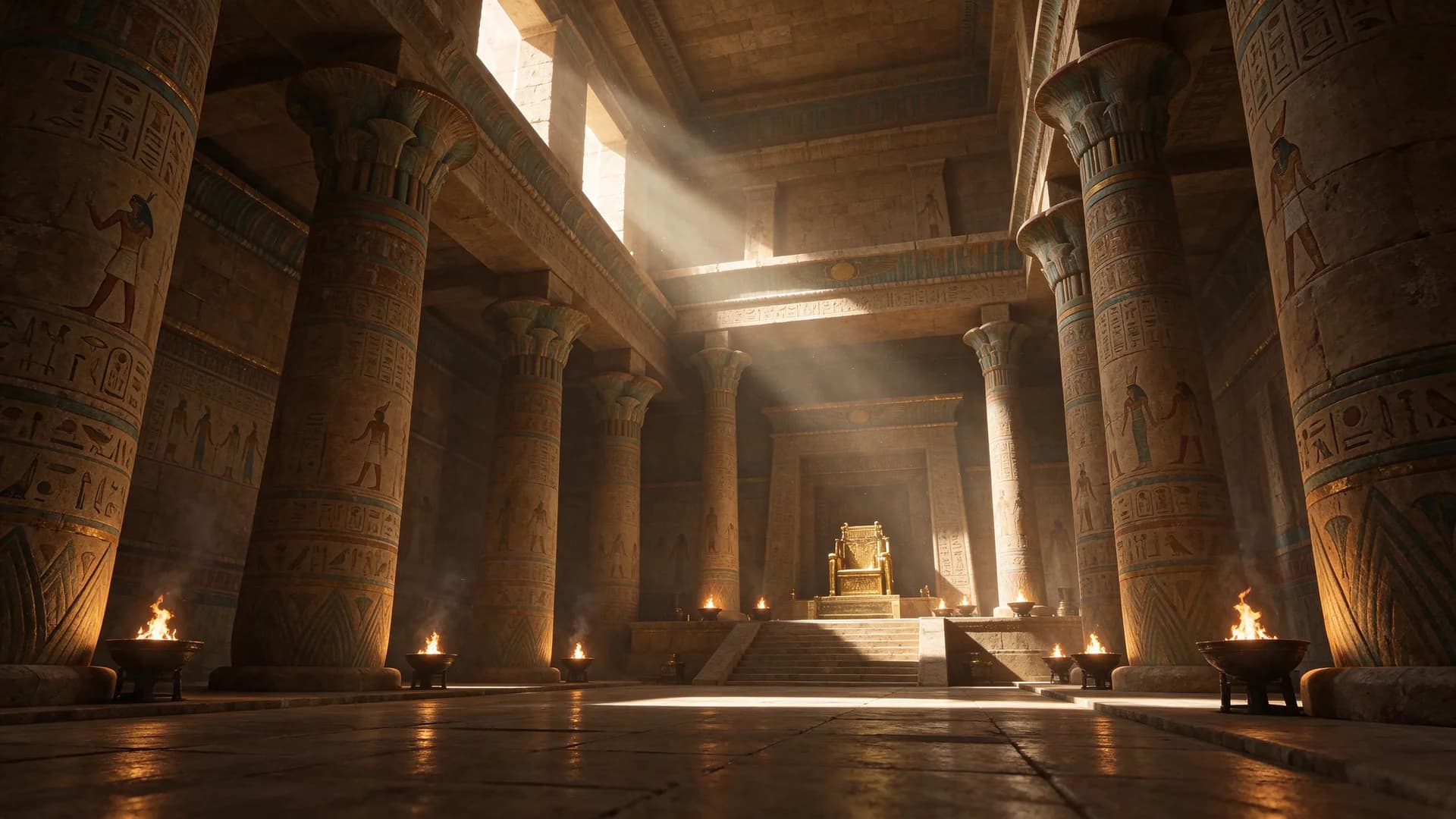
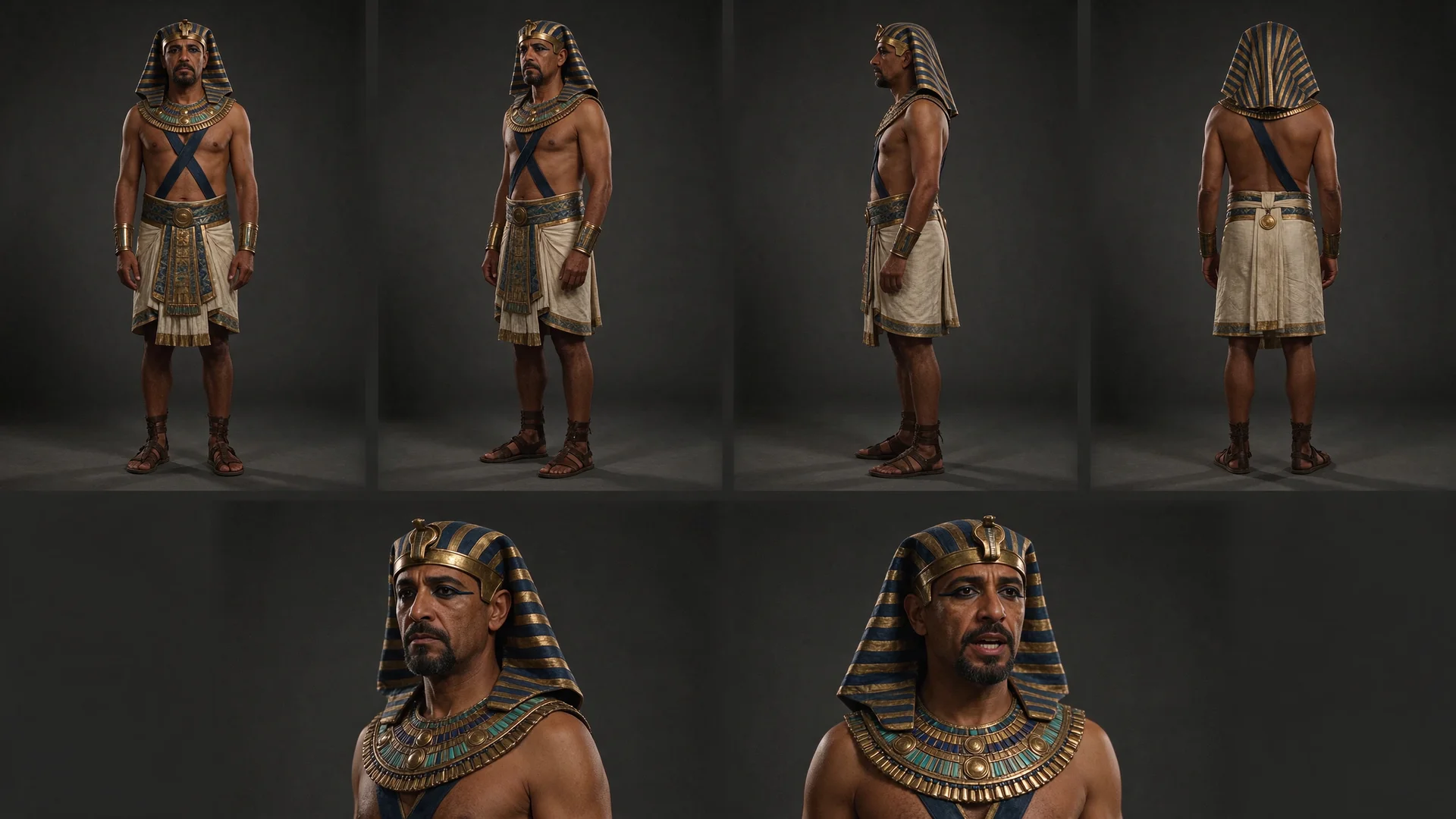
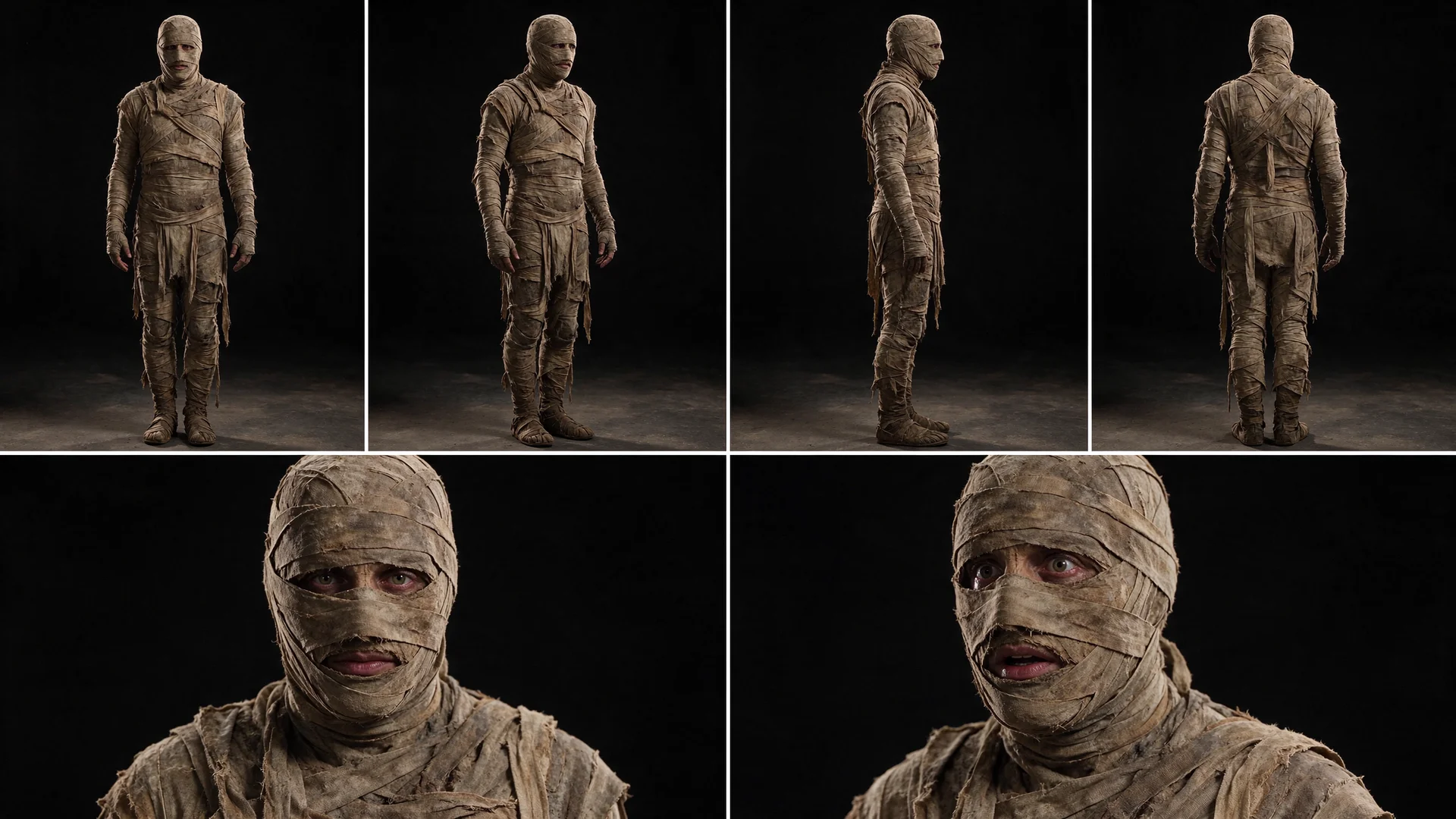
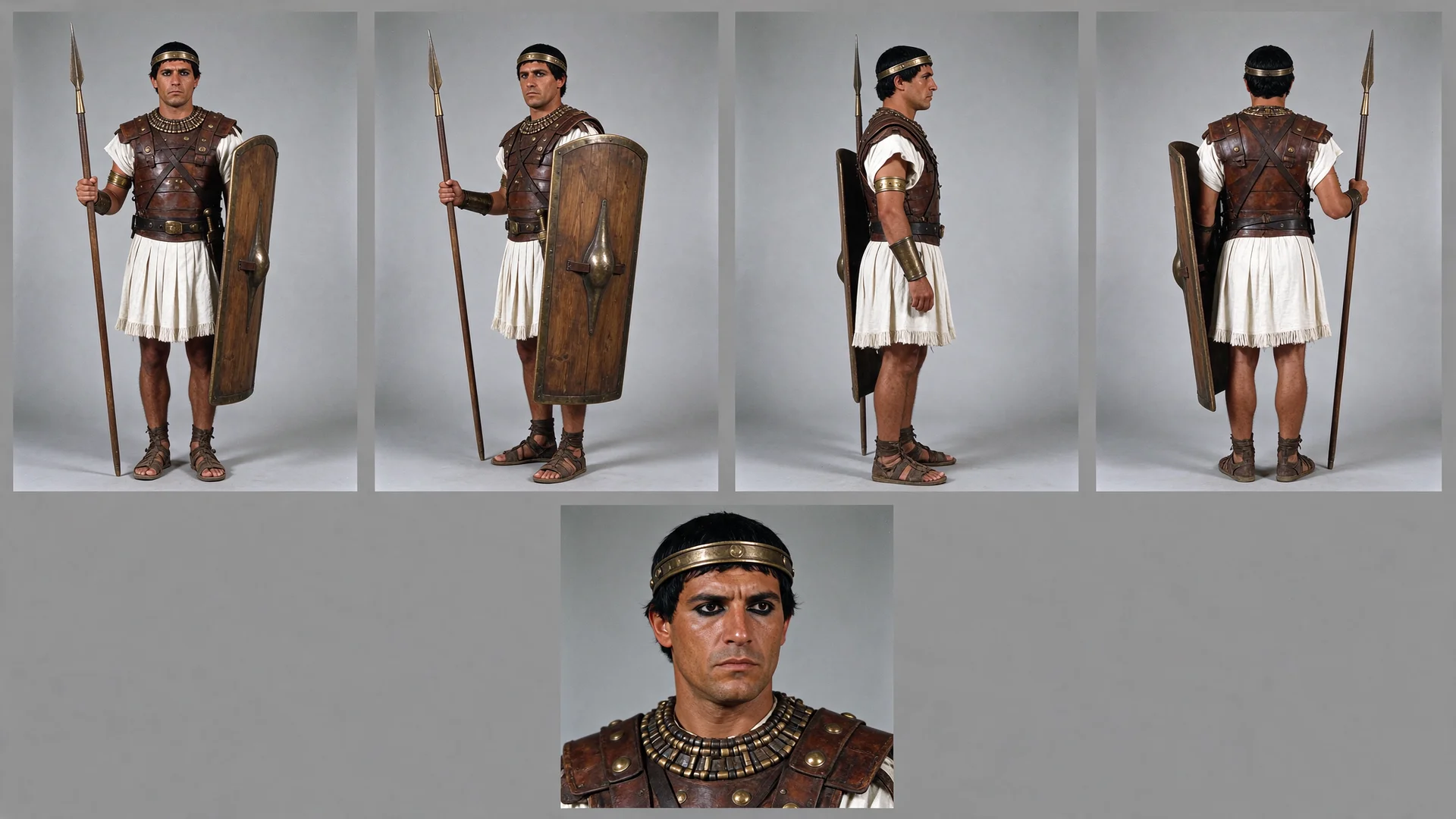
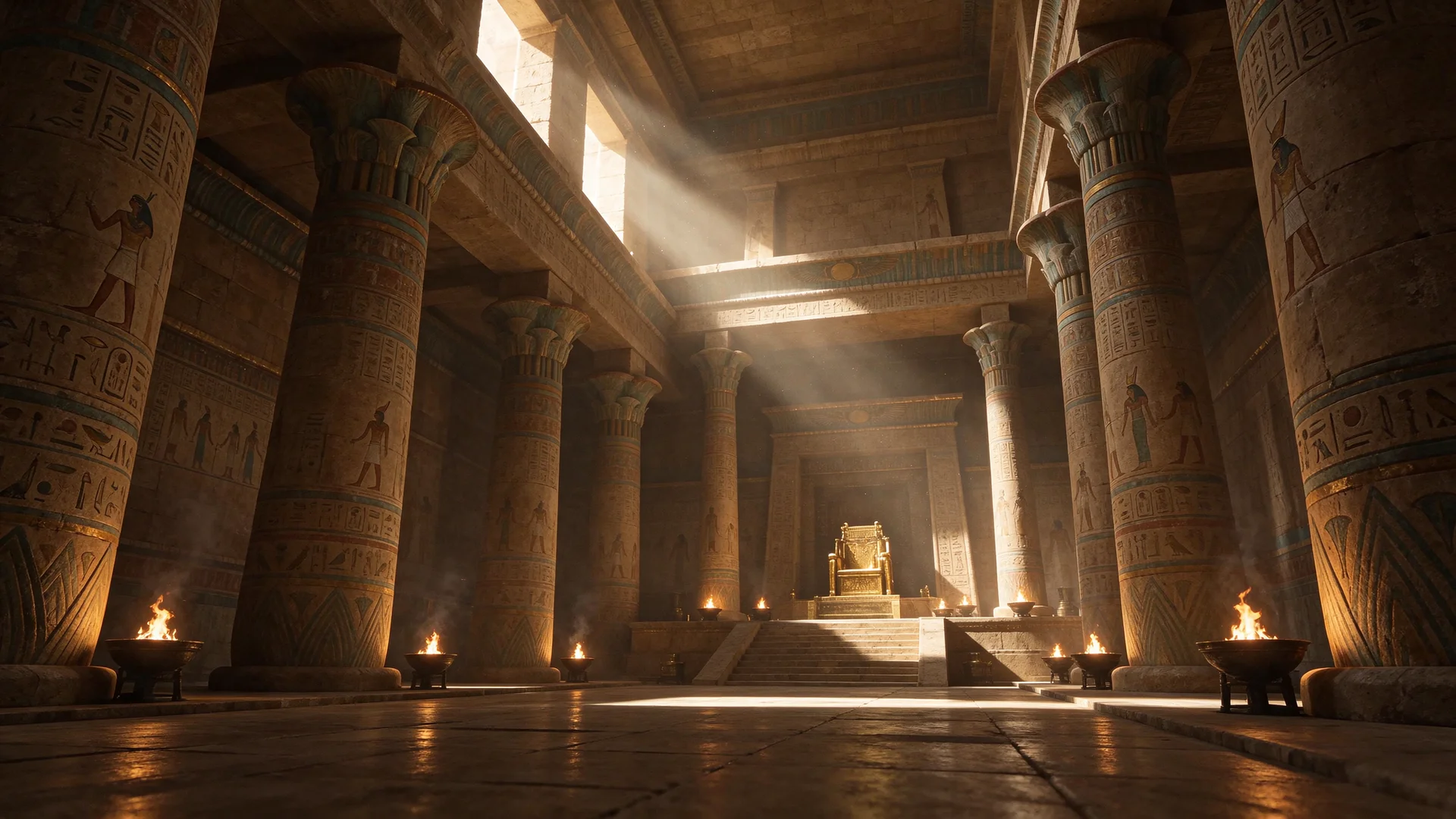
The reference video sets every move, cut, lip-sync and camera shake; four sheets — pharaoh, mummy, guards and temple — decide who is on stage and where.
Re-skin the reference video @Video1. Keep all motion, camera work, cuts, timing, lip-sync, gestures, body movement and character positions exactly the same, and change only the appearance of the characters and the location. Camera: identical in every frame. Same framing, shot sizes, angles, handheld shake, zooms and focus changes. Same cuts on the same frames. Same depth of field: whatever is blurred stays blurred in the same way. PRIORITY: the man in the orange sweater (grey hair, beard, dark trousers) is replaced by the character from @Image2 in every shot where any part of him is visible: full body, cropped by the edge of the frame, only an orange shoulder or a grey-haired head behind the singer, or out of focus, including the final wide shot where he walks next to the singer. In all of these shots nothing orange, no grey hair, no beard and no dark trousers remain. Keep his position, posture, head turns, steps and reactions. The character from @Image2 is never part of the background group. He is not in the frame in the opening close-up, where the reference shows only the singer and the blurred background group. - Replace the man in the green jacket and white t-shirt (the singer holding the microphone) with the character from @Image1. Keep his performance, microphone handling, head movements, large arm gestures and expressions. Eyes fully visible. - Replace all people in light grey sweatshirts and grey trousers in the background with the characters from @Image3. Keep their exact number, spacing, positions and behavior, including the small distant figures in wide shots and the softly blurred ones in close-ups. They are all guards, with no mummy among them. - Replace the whole environment with the location from @Image4: the beige walls, the door on the wall, the objects on the walls and ceiling, the lighting AND the wooden floor. The floor in every shot where it is visible is the floor from @Image4. Keep the same camera angles, perspective and depth of field. Do not add characters where the reference has none. The character from @Image2 appears only where the man in the orange sweater appears in the reference. No other person in the video is the character from @Image2. Nobody in the original clothing appears at any moment, including partially visible people and the final seconds. No original hairstyles, faces, floor, walls or lights remain, except the microphone. Match the lighting and color of the characters to the new location, and let them cast natural shadows and reflections on the new floor. Consistent appearance of every character across all shots. Cinematic photorealistic look.
What You Need
The prompt points to each file by its tag, like @Video1. Download the examples or bring your own.
How to Use This Prompt
- 1Copy the prompt above — the full text, not a trimmed version.
- 2Open Everypixel: Video → WAN 3.0. Use reference mode; in settings pick 720p or 1080p, 16:9 and 15 seconds.
- 3Upload the files in this order: Video 1 → Image 1 → Image 2 → Image 3 → Image 4.
- 4Paste the prompt and hit Generate. Check the first result before making more.
Every prompt in the library works the same way — copy, paste into the model, generate.
Explore More Video Prompts More from WAN 3.0
All Video Models





Every prompt here was actually run.
Everypixel is one account for every image and video model — pick any prompt above, or start from scratch.